Diag Master Truck
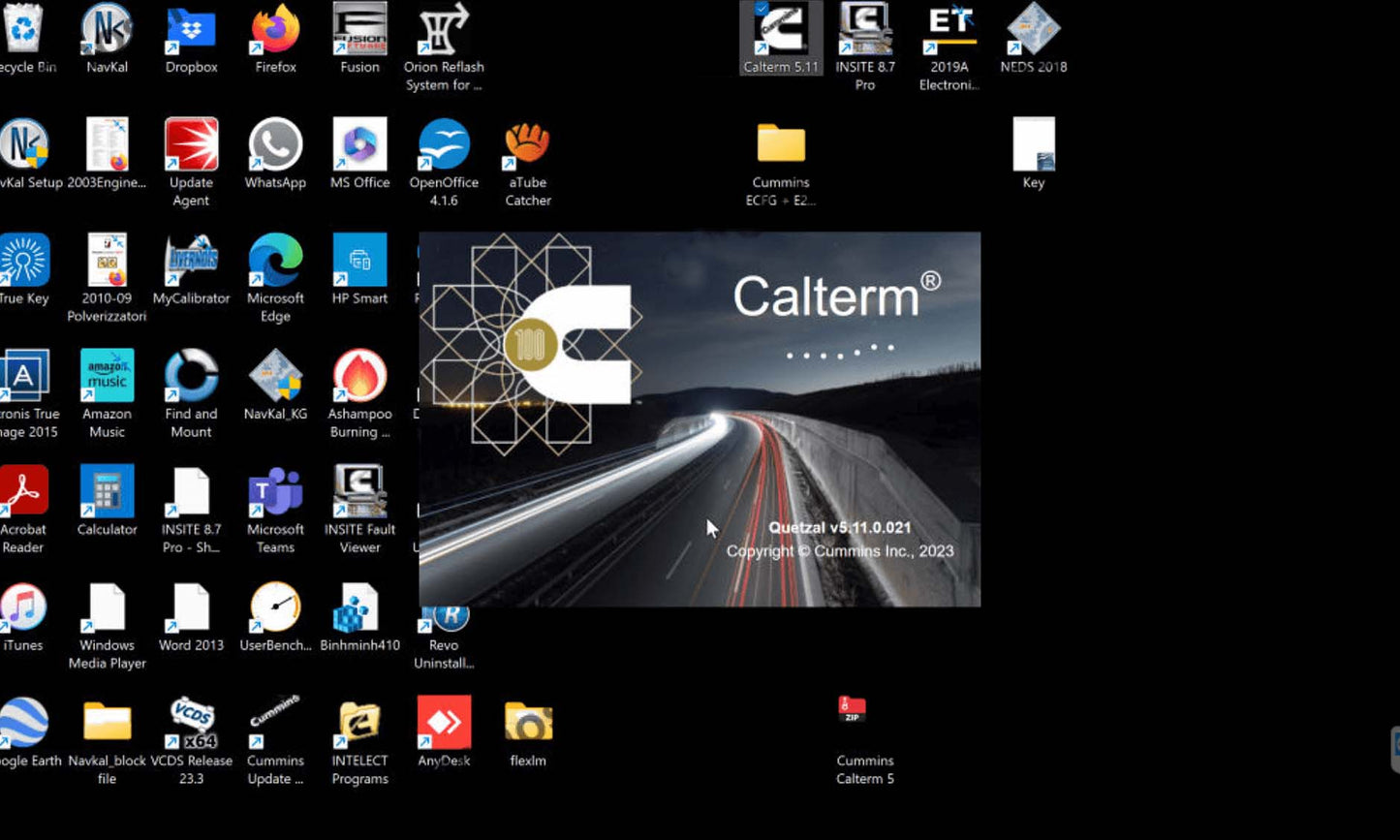
Cummins Calterm V5.16 Engineering (2025) - Advanced ECM Programming Tool + Remote Setup
Cummins Calterm V5.16 Engineering (2025) - Advanced ECM Programming Tool + Remote Setup
Couldn't load pickup availability
Professional remote installation service for Cummins Calterm V5.16 Engineering Edition (2025 Updated) — the advanced ECM programming and calibration tool used by professional diesel tuners and certified repair facilities.
This is a complete engineering-level setup service with lifetime technical support. Go beyond basic diagnostics and unlock full ECM parameter control.
---
🔧 SERVICE INCLUDES
✅ Remote Installation of Cummins Calterm V5.16 Engineering Edition (Latest 2025 Build)
✅ Complete Software Configuration & Activation
✅ ECM Parameter Database Setup (Full calibration access)
✅ Live TeamViewer Installation Session (45-60 minutes)
✅ Advanced Configuration Tutorial (Parameter editing basics)
✅ Post-Installation Testing & Verification
✅ Lifetime Technical Support (Email assistance included)
*Installation valid for one laptop. All software setup performed remotely by our certified technicians.*
---
⚙️ WHAT IS CALTERM? (Engineering Edition)
Calterm is Cummins' **engineering-level development tool** used by professional calibration engineers to:
🔹 **Monitor Electronic Control Modules (ECMs)** in real-time
🔹 **Alter calibration data** stored in ECM memory
🔹 **Manipulate parameter values** beyond standard adjustment limits
🔹 **Simulate engine conditions** for testing and diagnostics
🔹 **Develop custom calibrations** for performance or efficiency tuning
**This is NOT a basic diagnostic tool.** Calterm provides direct access to ECM memory tables and calibration maps — capabilities reserved for advanced users and certified tuning facilities.
---
🚛 COMPATIBLE ENGINES & SYSTEMS
Works with ALL Cummins electronic engines equipped with ECMs:
**Engine Families:**
• ISX Series (ISX15, ISX12, ISX CM2350, CM2250)
• X Series (X15, X12 Efficiency Series)
• ISB, ISC, ISL, ISM Series
• QSX15, QSB, QSC Series
• Signature Series, Celect Plus (Electronic)
• ISF, ISG (Industrial & Generator)
• Marine Engines (QSK, QSM)
**Supported Hardware:**
• Cummins INLINE 5 / INLINE 6 / INLINE 7 Adapters
• Nexiq USB-Link 2 (with RP1210 drivers)
• DPA5 / Compatible J1939 Interfaces
---
⚡ ADVANCED CAPABILITIES (Engineering Edition)
🔹 **ECM Calibration Editing**
Modify fuel maps, torque curves, injection timing, boost pressure limits
🔹 **Parameter Value Manipulation**
Change parameters beyond factory limits (speed, horsepower, torque, governor settings)
🔹 **Real-Time Data Monitoring**
View live ECM data streams with engineering-level precision
🔹 **Fault Code Diagnostics**
Read and clear DTCs with detailed engineering fault descriptions
🔹 **ECM Simulation Mode**
Test calibration changes in simulation before flashing to live ECMs
🔹 **Custom Calibration Development**
Create, test, and deploy custom ECM calibrations for specific applications
🔹 **Memory Table Access**
Direct access to ECM memory locations for advanced troubleshooting
🔹 **Flash File Generation**
Create custom ECM flash files for backup or deployment
---
🎯 WHO NEEDS CALTERM?
This tool is designed for:
✅ Diesel performance tuners
✅ ECM calibration specialists
✅ Fleet optimization engineers
✅ Heavy equipment repair facilities
✅ Marine and industrial engine technicians
✅ Certified Cummins service centers
**If you only need basic diagnostics, choose INSITE instead. Calterm is for advanced users who need parameter-level control.**
---
💻 CLIENT SYSTEM REQUIREMENTS
Your laptop must meet these specifications:
• **Operating System:** Windows 10 or Windows 11 (32-bit or 64-bit)
• **Processor:** Intel i5 or AMD equivalent (4+ cores recommended)
• **RAM:** 8GB minimum (16GB strongly recommended for large calibration files)
• **Hard Drive:** 50GB free space
• **Internet:** Required for initial installation session only
• **Diagnostic Adapter:** Cummins INLINE 5/6/7, Nexiq, or compatible RP1210 device
---
📦 INSTALLATION PROCESS
**Step 1 — ORDER CONFIRMATION**
After purchase, you receive an email within 30 minutes with installation instructions and download links.
**Step 2 — SOFTWARE DOWNLOAD**
Download the Calterm installation package using the secure link provided.
**Step 3 — SCHEDULE SESSION**
Reply to schedule your remote installation session. We accommodate flexible scheduling including weekends.
**Step 4 — REMOTE INSTALLATION**
Our technician connects via TeamViewer and performs:
• Complete software installation
• ECM driver configuration
• Calibration database setup
• Interface testing with your adapter
• Brief tutorial on parameter editing basics
(Session duration: 45-60 minutes)
**Step 5 — TESTING & HANDOVER**
We test ECM connectivity, verify parameter access, and demonstrate core functions.
**Step 6 — READY TO WORK**
Your laptop is now configured with engineering-level access. Works 100% offline after installation.
---
✅ CALTERM VS. INSITE (What's the Difference?)
| Capability | INSITE (Diagnostic Tool) | CALTERM (Engineering Tool) |
|------------|--------------------------|---------------------------|
| Read Fault Codes | ✅ Yes | ✅ Yes |
| View Live Data | ✅ Yes | ✅ Yes (Engineering-level detail) |
| Adjust Standard Parameters | ✅ Yes (Within factory limits) | ✅ Yes (Beyond factory limits) |
| **Edit Calibration Maps** | ❌ No | ✅ **Yes** |
| **Modify Fuel/Torque Tables** | ❌ No | ✅ **Yes** |
| **Custom Calibration Development** | ❌ No | ✅ **Yes** |
| **ECM Simulation Mode** | ❌ No | ✅ **Yes** |
| **Memory Table Access** | ❌ Limited | ✅ **Full Access** |
| Target User | Standard mechanics | Engineers & tuners |
**Bottom line:** If you need to tune, optimize, or develop custom calibrations, you need Calterm. If you only diagnose faults, INSITE is sufficient.
---
🛡️ SUPPORT & WARRANTY
**Included with your service:**
• 30 days of free email technical support
• Reinstallation assistance if you upgrade your laptop (one-time)
• Troubleshooting help for adapter connectivity issues
• Guidance on parameter editing best practices
**Money-Back Guarantee:**
If we cannot successfully install and activate the software on your laptop, you receive a full refund within 7 days of purchase. Refunds are not provided after successful installation and activation.
---
📦 WHAT YOU RECEIVE
• Remote installation service (via TeamViewer)
• Calterm V5.16 Engineering Edition activation (one laptop)
• ECM parameter database configuration
• Complete user documentation (PDF manuals)
• Email technical support (lifetime access)
*This is a third-party technical support service. We are not affiliated with Cummins Inc. All software and trademarks are property of their respective owners.*
---
⚠️ LEGAL DISCLAIMER & REGULATORY COMPLIANCE
**IMPORTANT REGULATORY NOTICE:**
Modifying ECM calibrations may affect emissions compliance. Users are responsible for ensuring all calibration changes comply with:
• EPA (Environmental Protection Agency) regulations (USA)
• CARB (California Air Resources Board) standards
• Local emissions and vehicle modification laws
**This tool is intended for:**
• Off-road equipment (agriculture, mining, marine, industrial)
• Pre-emissions era engines (pre-2007)
• Certified repair facilities performing authorized calibration updates
• Engineering development and testing environments
**By purchasing this service, you confirm that:**
1. You are a qualified technician or authorized repair facility
2. You will use this tool in compliance with applicable emissions laws
3. You understand that improper use may result in regulatory penalties
4. You accept full responsibility for calibration modifications
---
🚨 **DEALER/TUNER SHOP PRICE:** $800+ for software access
💰 **OUR SERVICE:** $399 (One-time setup, lifetime access)
Get engineering-level ECM control without the subscription trap.
**Same professional capabilities used by Cummins engineers. No annual fees.**